If you're searching for a flipkart label crop tool that doesn't require installing software or paying for a subscription, this is it. CropLabel's flipkart label crop free tool lets you crop, resize, and prepare Flipkart shipping labels for A4 or 4×6 thermal printers — entirely online, in seconds.
Why Flipkart sellers need a dedicated crop tool
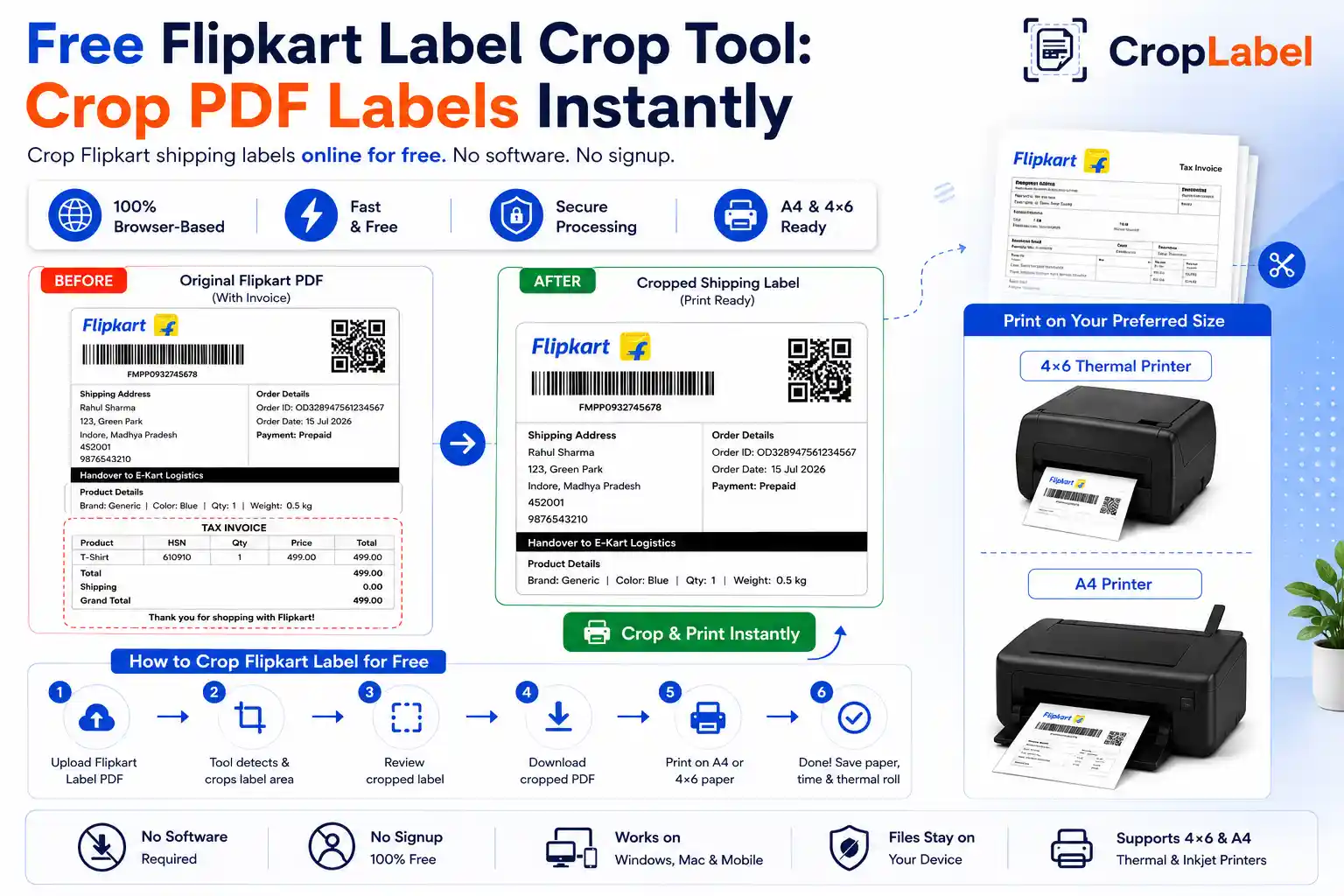
Flipkart's downloaded shipping label PDF usually bundles the label together with an invoice and GST details section. Printing the full PDF every time means wasted A4 paper, extra thermal roll usage, and manual trimming with scissors — none of which scale once you're dispatching more than a handful of orders a day. A dedicated crop tool automates this in one step.
How to crop a Flipkart label for free
No Photoshop, no Acrobat, no paid software. Here's the full process:
- Download your shipping label PDF from the Flipkart Seller Hub.
- Open the CropLabel Flipkart Label Crop Tool in your browser.
- Upload the PDF — single labels or bulk multi-order files both work.
- Choose A4 Printer or 4×6 Thermal Printer as your output format.
- Choose whether to keep or remove the invoice section.
- Download your cropped, print-ready label instantly.
Because it runs entirely online, this is one of the fastest ways to get a clean, print-ready Flipkart label without touching any desktop print settings.
Works for A4 and 4×6 thermal printing
Whether you print on standard A4 sheets or a 4×6 thermal printer, the cropped label keeps its aspect ratio and barcode clarity. You can generate both formats from the same uploaded PDF without re-uploading.
Bulk cropping for high order volumes
If you're dispatching dozens of orders a day, cropping labels one-by-one isn't practical. Upload the full multi-order label PDF from Flipkart, and every individual label inside it gets cropped in a single pass — saving real time during peak dispatch hours. Need to combine several label PDFs first? Use the Merge & Sort tool to merge and sort by SKU before cropping.
Is it safe to crop labels online for free?
CropLabel processes your file entirely inside your browser — no file upload to a server, no stored order data, and nothing shared with third parties. This makes it a practical, privacy-safe choice for sellers handling customer address data daily.
Try the free Flipkart Label Crop Tool
Crop Flipkart shipping labels online for A4 or 4×6 thermal printing — completely free, no signup required.