Search "how to crop a PDF" and most results point you toward Photoshop, Adobe Acrobat, or some other paid design software. For something as routine as printing a shipping label, that's overkill. Here's how to crop a meesho label pdf without Photoshop, without a subscription, and without touching any design software at all.
Why Photoshop isn't the right tool for this
Photoshop is built for image editing, not PDF label cropping — using it for shipping labels usually means:
- Paying for a monthly Creative Cloud subscription just to crop a PDF
- Manually selecting crop boundaries for every single label
- Re-exporting each file and checking barcode quality by hand
- No easy way to process bulk multi-order PDFs in one pass
For sellers processing tens or hundreds of labels a week, this doesn't scale. A dedicated crop tool built specifically for shipping labels solves the same problem in a fraction of the time.
Crop your Meesho label PDF online instead
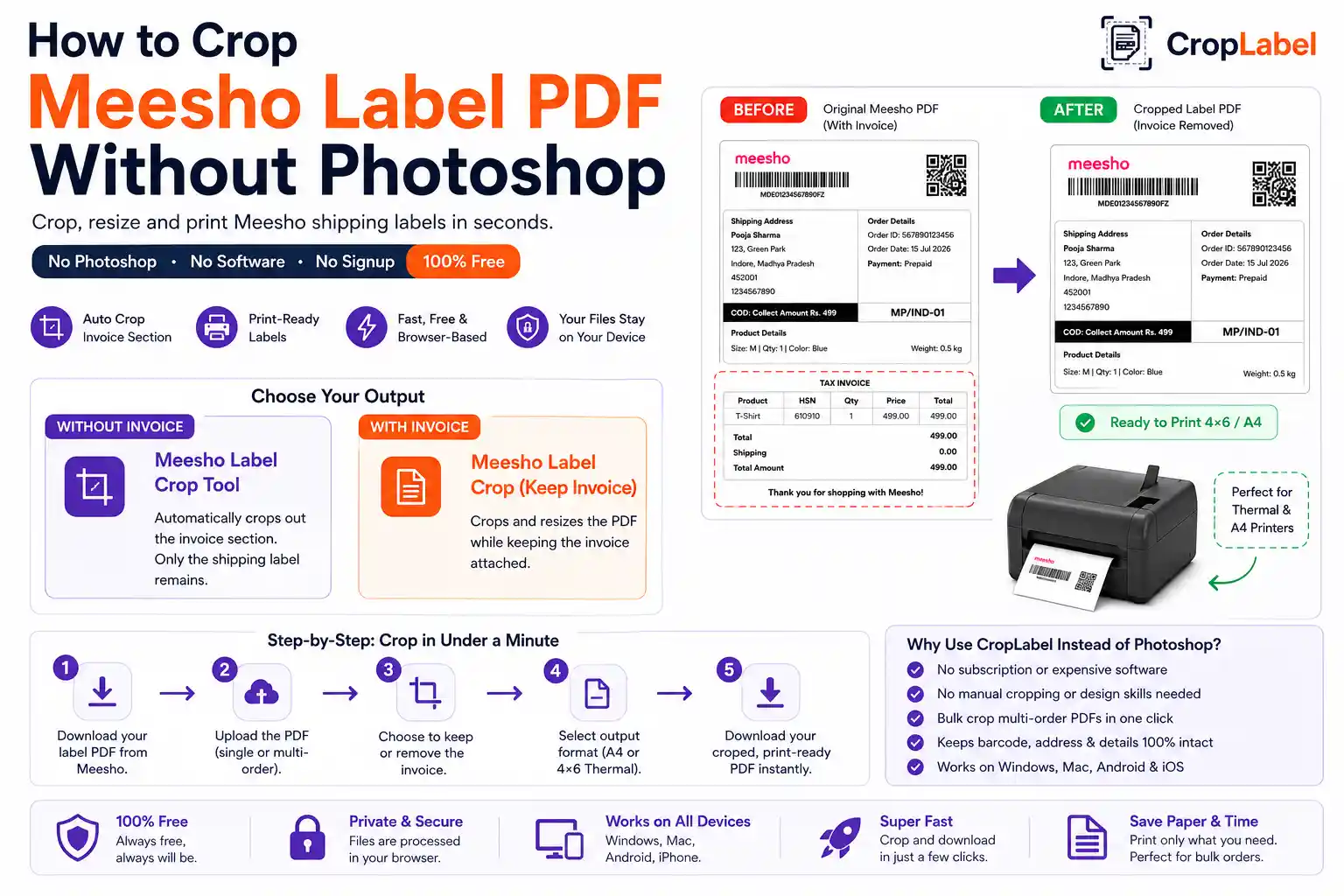
CropLabel's Meesho Label Crop Tool does exactly what Photoshop would take several manual steps to do — automatically, in your browser, for free:
Meesho Label Crop Tool
Automatically crops out the invoice section — no manual selection needed.
With InvoiceMeesho Label Crop (Keep Invoice)
Crops and resizes the PDF while keeping the invoice, no design software required.
Step-by-step: crop the PDF in under a minute
- Download your shipping label PDF from the Meesho Supplier Panel.
- Open the CropLabel Meesho Label Crop Tool — no login required.
- Drag and drop your PDF, or tap to upload it.
- Choose A4 or 4×6 Thermal as your output format.
- Choose whether to keep or remove the invoice.
- Download your cropped, print-ready PDF instantly.
No layers, no manual crop tool, no exporting settings to double check — the whole process takes less time than opening Photoshop would.
Works entirely in your browser
Because the tool processes your PDF locally in the browser, there's nothing to install on your computer or phone, and no file gets uploaded to a server. This also means it works the same way whether you're on Windows, Mac, Android, or iPhone — unlike Photoshop, which needs a desktop install and licence per device.
Cropping multiple label PDFs without manual editing
If you're handling a batch of orders, upload your combined multi-order Meesho PDF directly — every label inside gets cropped in one pass, something that would take significant manual effort in Photoshop label by label. For very large batches, use the Merge & Sort tool to combine and sort labels by SKU or courier partner first.
Skip Photoshop. Crop your Meesho label PDF free.
No software, no subscription, no signup — just upload and download.