
Some sellers pack orders from a desktop at a fixed station, others check dispatch details from a phone between deliveries. A flipkart label crop online tool works the same way regardless of device, with no waiting on downloads or installs — just a quick flipkart label crop whenever you need one.
What makes this method "quick"
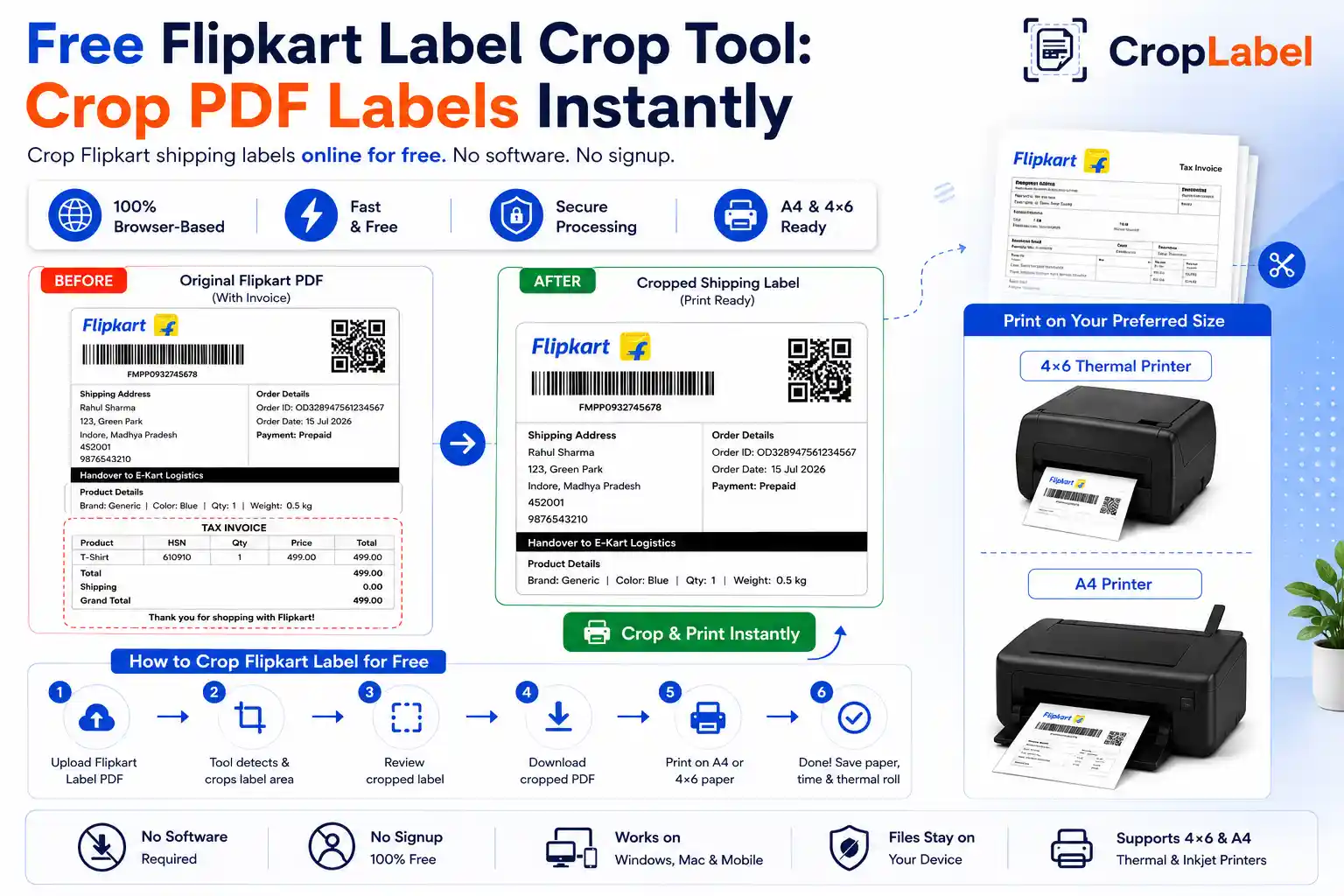
There's no app store download, no account setup, and no waiting on an install to finish. You open the tool in your browser, upload the PDF, and download the cropped result — typically the whole process takes under a minute from start to finish, even faster once you've done it a few times.
Works across every device you use
Because it's browser-based, the same tool works identically whether you're on:
- A Windows or Mac desktop at your packing station
- An Android phone or iPhone while checking orders on the move
- A tablet shared between warehouse staff
- Any browser — Chrome, Safari, Edge, or Firefox
There's no need to reinstall anything or manage licenses across multiple devices — just open the tool and it's ready.
How to crop a Flipkart label online
- Open the CropLabel Flipkart Label Crop Tool in any browser.
- Upload your Flipkart shipping label PDF.
- Choose A4 or 4×6 Thermal as your output format.
- Choose whether to keep or remove the invoice.
- Download the cropped PDF — ready to print immediately.
Is your data safe with an online tool?
A common concern with "online" tools is where your file actually goes. CropLabel processes your PDF locally inside your browser — it isn't uploaded to a server, stored, or shared. This matters especially for shipping labels, which carry customer names and addresses.
Quick cropping for bulk orders too
This isn't limited to single labels — upload a combined multi-order Flipkart PDF and every label inside gets cropped in the same quick pass, right in your browser. For larger batches, pair it with the Merge & Sort tool to combine and sort labels by SKU or courier partner before cropping.
Crop your Flipkart labels online, right now
Works on any device, any browser — nothing to install.