Thermal printers are the fastest way to print Meesho shipping labels in bulk, but only if the label is sized correctly. A meesho label crop 4×6 workflow ensures your label fits the thermal roll exactly, with no cut-off barcodes or wasted label length.
Why 4×6 is the standard thermal label size
Most thermal label printers used by Meesho sellers — including Zebra, TSC, XPrinter, and Rongta models — are built around the 4×6 inch label format. If your downloaded Meesho PDF isn't already sized to match, the printer may:
- Cut off part of the barcode or address at the label edge
- Print with excessive blank space, wasting thermal roll
- Shift the label off-center on each print
- Print the invoice section as a separate, unwanted label
Cropping the PDF to exact 4×6 dimensions before printing eliminates all of these issues in one step.
Crop Meesho labels for thermal — with or without invoice
Some sellers keep the invoice for record-keeping, others print only the label to save thermal roll length. CropLabel supports both directly:
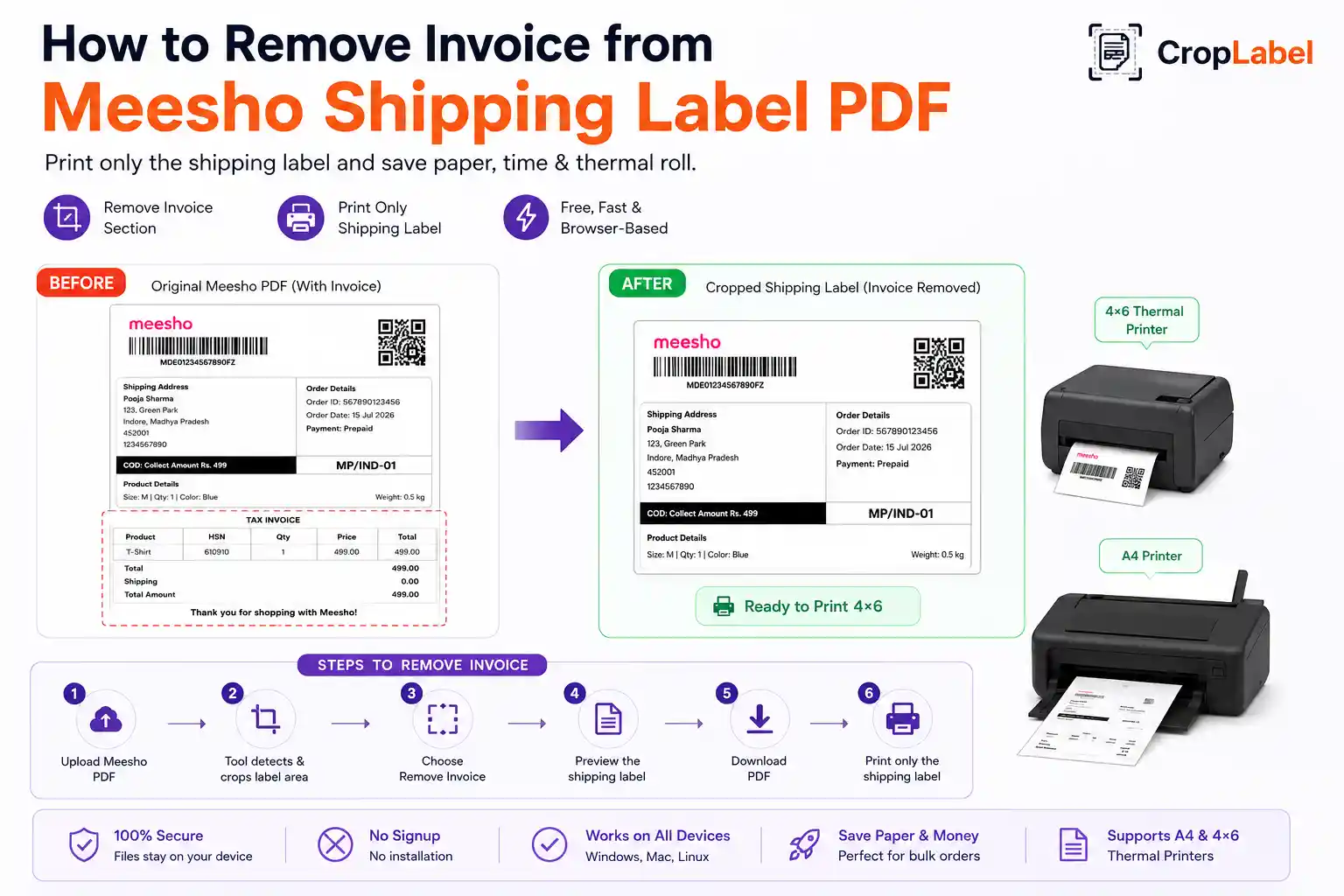
Meesho Label Crop Tool
Crops to exact 4×6 size and removes the invoice, saving thermal roll length on every print.
With InvoiceMeesho Label Crop (Keep Invoice)
Keeps the invoice attached while still fitting cleanly onto a 4×6 thermal label.
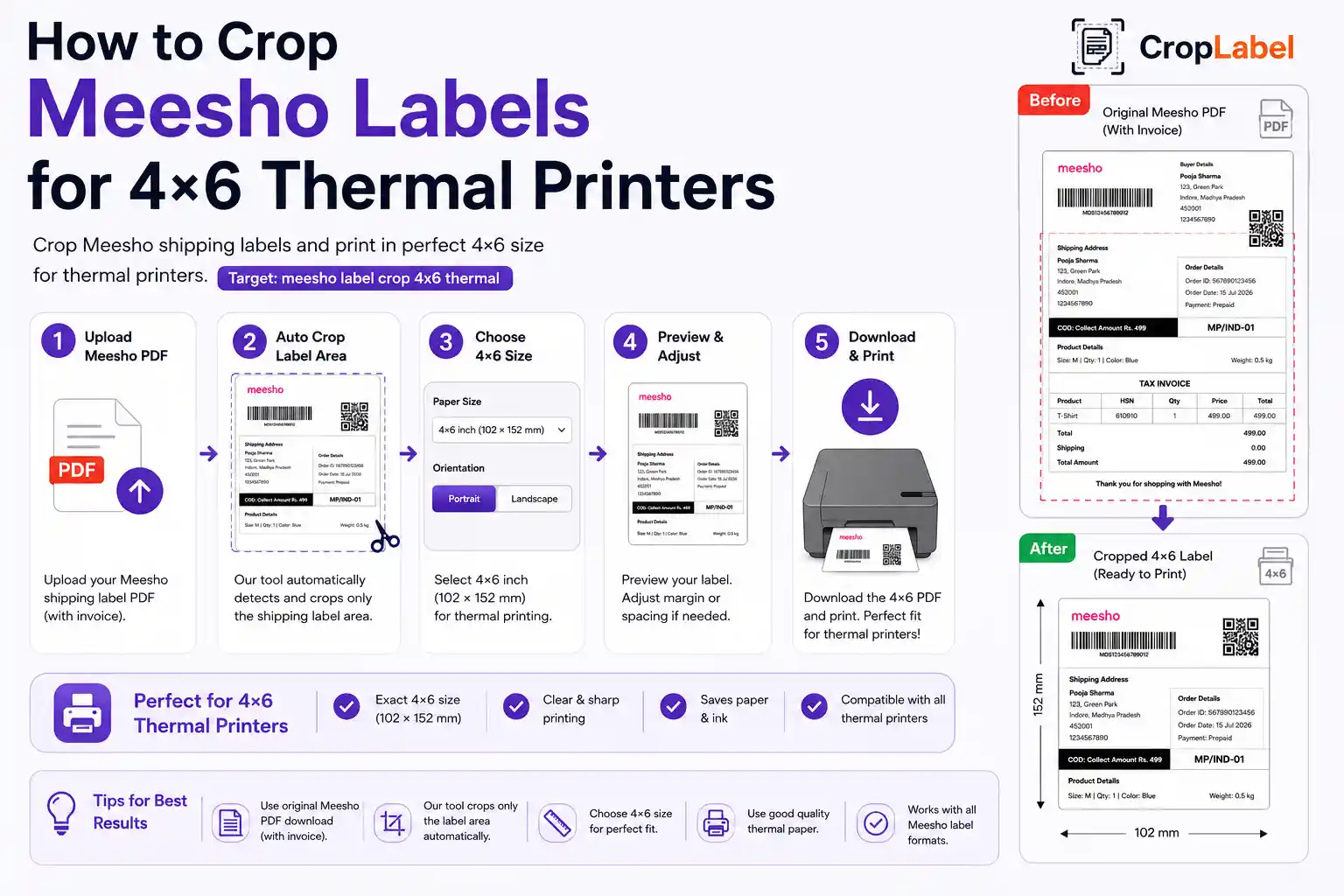
Step-by-step: crop and print on a 4×6 thermal printer
- Download your shipping label PDF from the Meesho Supplier Panel.
- Open the CropLabel Meesho Label Crop Tool in your browser.
- Upload the PDF and select 4×6 Thermal Printer as your output format.
- Choose whether to keep or remove the invoice section.
- Download the cropped, thermal-ready PDF.
- Confirm your printer driver is set to 4×6 label size, not A4 or Letter.
Always print a single test label first to confirm the barcode isn't cut off at the edges before running a full batch.
Getting your thermal printer settings right
Even a correctly cropped label can print poorly if your printer driver isn't configured properly. Check these before printing:
- Label size set to 4×6 inches in the printer driver, not a default paper size
- Print darkness/heat setting high enough for a crisp, scannable barcode
- Print speed set to a moderate rate to avoid smudging
- Gap/black mark sensor calibrated correctly for continuous label rolls
Bulk thermal printing for high order volumes
If you're dispatching many orders a day, upload your combined multi-order Meesho PDF directly — every label inside gets cropped to 4×6 in one pass. For large batches, use the Merge & Sort tool first to combine and sort labels by SKU or courier partner, so your printed thermal roll matches your packing order exactly.
Crop your Meesho labels for 4×6 thermal printing
Free, browser-based, and ready in seconds — no signup needed.