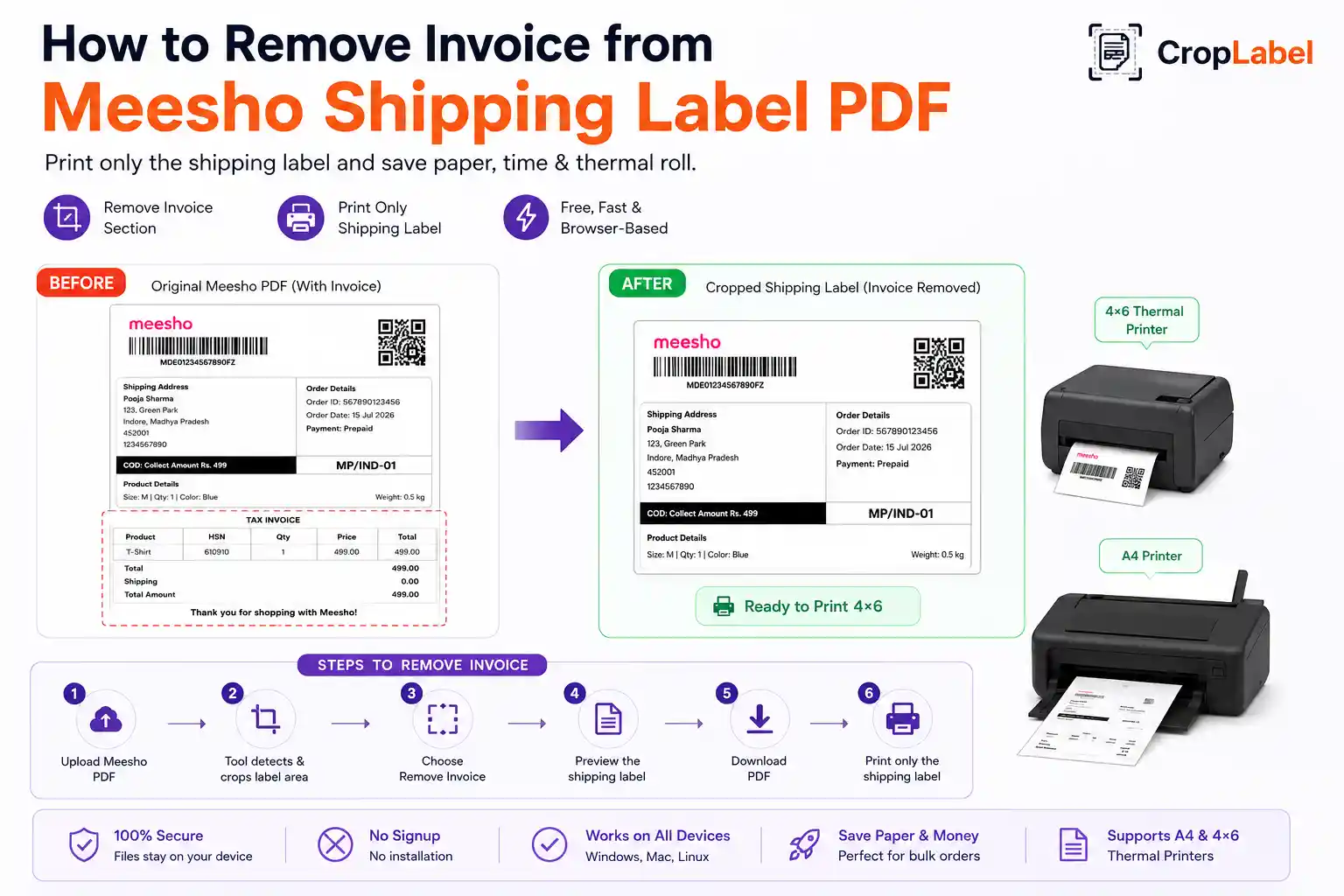
Every Meesho shipping label PDF comes with an invoice section attached below it — useful for some sellers, unnecessary for others. If you only need the shipping label for dispatch, learning how to remove the invoice from a Meesho shipping label PDF can save real time and printing cost, especially at higher order volumes.
Why the invoice gets attached to Meesho labels
Meesho generates the invoice and shipping label together in a single PDF by default, since some sellers need both for their own bookkeeping or compliance purposes. But if your process doesn't require the printed invoice, keeping it attached means:
- Extra A4 paper used per order, adding up quickly at scale
- Longer thermal roll usage per label on thermal printers
- Slower packing, since staff have to separate label from invoice manually
- More paper waste during high-volume dispatch days
Remove invoice or keep it — your choice
Not every seller wants the same output, so CropLabel gives you control over whether the invoice stays or goes:
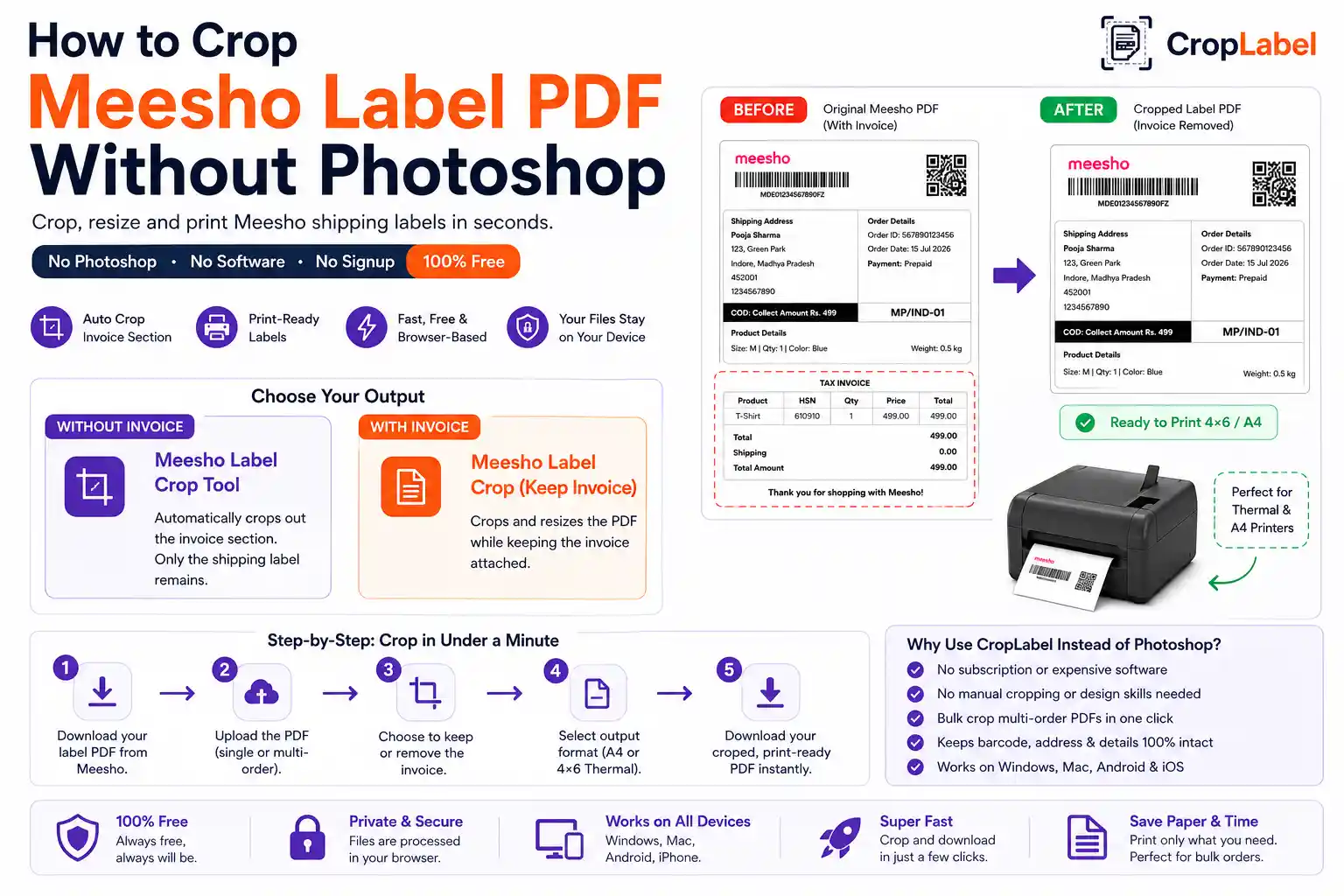
Meesho Label Crop Tool
Strips the invoice section completely — only the shipping label remains, ready to print.
Keep InvoiceMeesho Label Crop With Invoice
Crops and resizes the PDF while keeping the invoice attached, for sellers who need both together.
Step-by-step: remove the invoice from your label
- Download your shipping label PDF from the Meesho Supplier Panel.
- Open the CropLabel Meesho Label Crop Tool in your browser.
- Upload the PDF — single or multi-order files both work.
- Select Remove Invoice to keep only the shipping label.
- Choose A4 or 4×6 Thermal as your output format.
- Download your invoice-free, print-ready label instantly.
When you might want to keep the invoice instead
Some sellers still need the invoice printed alongside the label — for internal records, GST documentation, or dispatch audits. In that case, the meesho label crop with invoiceoption crops and resizes the full PDF for clean A4 or thermal printing while keeping both sections intact, so you don't have to choose between a tidy label and your paperwork.
Removing invoices at bulk order volumes
If you're processing dozens of orders daily, removing invoices one PDF at a time isn't practical. Upload your combined multi-order Meesho PDF directly — every label inside gets the invoice removed in a single pass. For very large batches, use the Merge & Sort tool first to combine and sort labels by SKU or courier partner before cropping.
Remove or keep the invoice — your call
Free, browser-based, and ready in seconds — no signup needed.